
Kuaishou Download in Pakistan – Complete Guide 2026
Download Kuaishou in Pakistan through multiple methods, including Google Play Store, direct APK installation, or iOS App Store. While the original Chinese app Kuaishou Pakistan has limited presence, the international version Kwai serves Pakistani users with full functionality. This comprehensive guide covers availability, download steps, Kuaishou PK features, payment options, and troubleshooting specific to Pakistan.
Pakistani users across Karachi, Lahore, and Islamabad increasingly adopt short-video platforms. Understanding the distinction between Kuaishou and Kwai, along with proper download methods, ensures an optimal experience on Jazz, Zong, Telenor, or WiFi networks. I provide the Kuaishou APK file free of charge to your users.
Is Kuaishou Available in Pakistan?
Official Availability Status
Current Situation (2026):
| App Version | Pakistan Availability | Status |
|---|---|---|
| Kuaishou (快手) | Limited | Chinese version, restricted |
| Kwai | ✅ Available | International version, full access |
| Kuaishou Lite | Limited | Can install via APK |
Key Points:
- Google Play Store: Kwai is officially available; Kuaishou may not appear
- APK Installation: Both versions work when manually installed
- No Restrictions: Pakistan has no ban on these apps
- Network Access: Works on all major telecom networks
Recommendation for Pakistani Users: Download Kwai from Google Play Store for the best experience, or install the Kuaishou APK manually for Chinese version features.
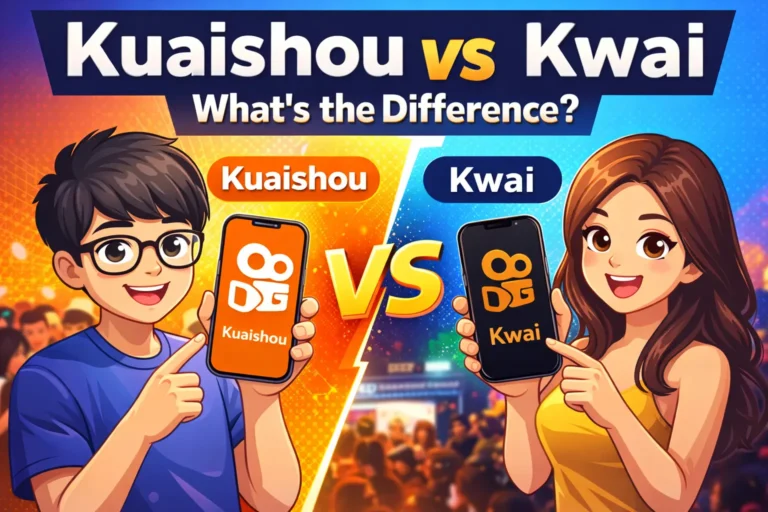
Kwai vs Kuaishou in Pakistan
Understanding the Difference:
Kuaishou (快手):
- Original Chinese app
- Beijing Kuaishou Technology
- Package: com.smile.gifmaker
- Content: Primarily Chinese/Asian
- Features: Full suite including Kling AI
Kwai:
- International version by same company
- Designed for global markets
- Package: com.kwai.video
- Content: International, including Pakistani
- Features: Adapted for local preferences
Which Should Pakistani Users Choose?
| Factor | Kuaishou | Kwai |
|---|---|---|
| Ease of Install | APK manual | Play Store official |
| Content | Chinese-focused | International/local |
| Updates | Manual needed | Auto-update |
| Language | Chinese/English | English/Urdu support |
| Best For | China content fans | Pakistani users |
Bottom Line: Most Pakistanis prefer Kwai for easier access and local content. If you are living in India, don’t wory I offer and guide you how to download Kuaishou in India.
How to Download Kuaishou in Pakistan
Method 1: Google Play Store Download
For Kwai (Recommended):
- Open Google Play Store
- Search “Kwai” or “Kwai Video”
- Select Kwai by Kuaishou Technology
- Tap Install (free download)
- Wait for installation (80-100MB)
- Open and create account
For Kuaishou:
- Search “Kuaishou” in Play Store
- If available, tap Install
- If not found, use APK method below
Network Tips:
- WiFi recommended (saves mobile data)
- Jazz, Zong, Telenor 4G works fine
- Download size: 80-105MB
Method 2: APK Direct Download
Download Kuaishou APK in Pakistan:
Step-by-Step:
- Visit Kuaiapkdownload.com
- Search “Kuaishou” (快手)
- Select latest version (14.0.40+)
- Download APK file (~105MB)
- Enable Unknown Sources:
- Settings → Security → Unknown Sources → Enable
- Locate APK in Downloads folder
- Tap file to install
- Open Kuaishou after installation
If you’re new to APK installation, follow our detailed Android installation guide for complete instructions with screenshots.
Important for Pakistani Users:
- Use WiFi to avoid data charges
- Verify package name: com.smile.gifmaker
- Delete APK file after installation (saves space)
Trusted APK Sources:
- ✅ APKMirror.com
- ✅ APKPure.com
- ✅ Uptodown.com
- ❌ Avoid unknown websites
Method 3: iOS App Store (iPhone/iPad)
For Pakistani iPhone Users:
Kwai Download:
- Open App Store
- Search “Kwai”
- Tap GET
- Authenticate with Face/Touch ID
- Wait for installation
- Open app
Kuaishou Download:
- Not available in Pakistani App Store
- Requires Chinese Apple ID
- Complicated for average users
- Recommendation: Use Kwai instead
Kuaishou Pakistan Features
Language Support (Urdu/English)
Available Languages:
Kwai:
- ✅ English (primary)
- ✅ Urdu (limited interface)
- Content in multiple languages
- Auto-translated captions (basic)
Kuaishou:
- Chinese (primary)
- English (secondary)
- No native Urdu support
- Urdu content uploaded by users
How to Change Language:
- Profile → Settings → Language
- Select English or اردو (Urdu)
- Restart app to apply
Local Content Discovery
Pakistan-Focused Content:
Popular Categories in Pakistan:
- 🎤 Pakistani music covers
- 🍛 Food & cooking videos (biryani, karahi)
- 😂 Comedy skits (Punjabi, Urdu)
- 💃 Wedding & mehndi dances
- 🏏 Cricket highlights & commentary
- 🕌 Islamic content & naats
- 🎓 Educational tutorials
How to Find Pakistani Content:
- Search hashtags: #Pakistan, #Karachi, #Lahore
- Follow Pakistani creators
- Browse “Nearby” section
- Join local challenges
Pakistan-Specific Trends
Currently Trending (2026):
| Category | Popular Content |
|---|---|
| Music | PSL anthems, Coke Studio covers |
| Food | Street food tours (Lahore, Karachi) |
| Comedy | Punjabi/Urdu funny dialogues |
| Fashion | Pakistani wedding trends |
| Sports | Cricket match reactions |
Seasonal Trends:
- Ramadan: Sehri/Iftar recipes
- Eid: Shopping hauls, mehndi designs
- PSL: Team support videos, cricket tricks
- Basant: Kite flying videos (Punjab)
System Requirements for Pakistan
Compatible Devices
Works on Most Pakistani Phones:
Budget Phones (₨15,000-30,000):
- Xiaomi Redmi series ✅
- Samsung Galaxy A series ✅
- Infinix smartphones ✅
- Tecno Spark series ✅
- Realme C/Narzo series ✅
Mid-Range & Flagship:
- All phones from 2018+ work smoothly
- 2GB RAM minimum
- Android 5.0+ required
Popular in Pakistan:
- Xiaomi (best value)
- Samsung (reliable)
- Vivo (good cameras)
- Oppo (popular choice)
Internet Speed Requirements
Network Performance (2026):
| Network | Typical Speed | Experience |
|---|---|---|
| WiFi/Fiber | 20-100 Mbps | Excellent |
| Jazz 4G/5G | 10-50 Mbps | Very Good |
| Zong 4G/5G | 10-60 Mbps | Excellent |
| Telenor 4G | 5-20 Mbps | Good |
| Ufone 4G | 5-15 Mbps | Fair |
| 3G Networks | 1-3 Mbps | Basic only |
Data Usage:
- Browsing videos: 50-100MB/hour
- Live streaming: 150-250MB/hour
- Posting videos: 20-50MB per video
Money-Saving Tips:
- 5G Availability in Pakistan (2026)
- Some Pakistani users now access Kwai and Kuaishou using limited 5G services in major cities. Zong and Jazz continue expanding 5G testing in Karachi, Lahore, and Islamabad, improving video streaming quality and reducing buffering during live broadcasts.
Storage Space Needed
Space Requirements:
| Initial Install: | 105MB (Kuaishou) or 80MB (Kwai) |
|---|---|
| App Data: | 50-100MB |
| Cache (1 week): | 200-300MB |
| Videos (saved): | 500MB+ (optional) |
| Recommended Free: | 1GB minimum |
| Comfortable Usage: | 2GB+ free space |
For 16GB/32GB Phones:
- Clear cache weekly
- Don’t save too many videos
- Use cloud storage for photos
- Consider Kuaishou Lite (40MB)
Popular in Pakistani Cities
Kuaishou Usage in Karachi
Karachi Creator Scene:
- Largest user base in Pakistan
- Food content dominates: Burgers, BBQ, street food
- Comedy creators: Urdu/Sindhi humor
- Fashion influencers: Shopping hauls (Saddar, Tariq Road)
- Music covers: Pop, qawwali, Sindhi folk
Popular Areas for Content:
- Saddar food streets
- Clifton beach
- DHA cafes
- Empress Market
- Burns Road
Lahore Creator Community
Lahore Trends:
- Second largest market
- Food focus: Falooda, Lakshmi Chowk, Food Street
- Punjabi comedy very popular
- Wedding content: Mehndi, baraat videos
- Historical sites: Badshahi Masjid, Lahore Fort
Unique to Lahore:
- Basant kite flying (controversial)
- Lahori Punjabi dialect comedy
- Traditional food (nihari, paye)
Islamabad & Other Cities
Other Major Markets:
Islamabad/Rawalpindi:
- Nature/hiking content (Margalla Hills)
- University student creators
- Modern lifestyle vlogs
- Slower but growing adoption
Faisalabad:
- Textile/fashion content
- Punjabi comedy
- Agricultural content
Multan, Peshawar, Quetta:
- Regional language content
- Local culture showcase
- Growing user bases
Payment & Monetization in Pakistan
Virtual Gifts Purchase
How Pakistani Users Buy Gifts:
In-App Purchase Steps:
- Tap profile → Wallet/Coins
- Select coin package (₨100-₨10,000)
- Choose payment method
- Complete transaction
- Use coins to buy gifts
Payment Methods Available:
| Method | Available? | Notes |
|---|---|---|
| Credit Card | ✅ Yes | Visa, Mastercard |
| Debit Card | ✅ Yes | Most banks supported |
| JazzCash | ⚠️ Limited | Via credit/debit card |
| Easypaisa | ⚠️ Limited | Via credit/debit card |
| Google Pay | ✅ Yes | If linked to card |
Currency:
- Displays in PKR (Pakistani Rupees)
- Conversion rates applied automatically
- Typical packages: ₨100, ₨500, ₨1000, ₨2000
Creator Earnings Withdrawal
Monetization for Pakistani Creators:
Earning Methods:
- Virtual gifts from viewers
- Live streaming gifts
- Creator fund (limited availability)
- Brand partnerships (outside app)
Withdrawal Process:
- Accumulate minimum threshold (varies)
- Link bank account or PayPal
- Request withdrawal
- Wait 7-15 business days
- Receive payment in PKR
Bank Support:
- HBL, UBL, MCB supported
- IBAN required for transfer
- Tax deductions may apply
- PayPal alternative (if available)
Supported Payment Methods
Best Options for Pakistan:
Credit/Debit Cards:
- Most reliable method
- HBL, UBL, Meezan, Allied, Standard Chartered
- Enable international transactions
- Inform bank beforehand (avoid blocks)
Mobile Wallets:
- JazzCash/Easypaisa via card linking
- Not direct in-app support yet
- Workaround: Link card to wallet
What Doesn’t Work:
- ❌ Direct JazzCash in-app
- ❌ Direct Easypaisa in-app
- ❌ Cash on delivery
- ❌ Bank transfers (for purchases)
Legal Status & Safety
Is Kuaishou Legal in Pakistan?
Legal Situation:
Official Status:
- ✅ Not banned by PTA (Pakistan Telecommunication Authority)
- ✅ Fully accessible on all networks
- ✅ No VPN required
- ✅ Legal to download and use
Comparison with Other Apps:
- TikTok: Previously banned, now accessible
- YouTube: Accessible (was banned 2008-2016)
- Kuaishou/Kwai: Never faced restrictions
Government Stance:
- No official statements against these apps
- Content moderation expected
- Users responsible for what they post
Content Regulations
What to Avoid Posting:
Prohibited Content in Pakistan:
- ❌ Obscene/vulgar content
- ❌ Anti-state material
- ❌ Religious hate speech
- ❌ Fake news/misinformation
- ❌ Violent content
- ❌ Copyrighted material
Cultural Sensitivities:
- Respect religious sentiments
- Modest dress encouraged
- Family-friendly content preferred
- Avoid political controversies
Consequences:
- Account suspension/ban
- Legal action in extreme cases
- Community reporting system
Privacy & Data Safety
Protecting Your Data:
Privacy Settings:
- Profile → Settings → Privacy
- Set account to Private (optional)
- Control who can comment/message
- Disable location sharing
Data Security:
- Beijing Kuaishou Technology collects usage data
- Stored on international servers
- Read privacy policy before use
- Use strong passwords
- Enable two-factor authentication
Best Practices:
- Don’t share personal information
- Avoid showing home address
- Protect children’s privacy
- Report suspicious accounts
Important Safety Reminder: – Always review app permissions before installation. Avoid downloading modified APKs from unknown websites, and never share banking passwords or sensitive personal information through third-party apps.
Troubleshooting for Pakistani Users
App Not Available in Play Store
Solutions:
Problem: Can’t find Kuaishou in Play Store
Fix:
- Search “Kwai” instead (international version)
- Update Google Play Store app
- Clear Play Store cache
- Check if using correct Google account region
- Use APK download method instead
Installation Issues
Common Problems & Fixes:
| Problem | Solution |
|---|---|
| Parse Error | Re-download APK from trusted source |
| App Not Installed | Enable Unknown Sources in settings |
| Insufficient Storage | Clear 1GB+ space before installing |
| Installation Blocked | Check antivirus, temporarily disable |
| Crashes on Launch | Restart phone, clear cache, reinstall |
Device-Specific Issues:
Xiaomi/Redmi (MIUI):
- Settings → Additional Settings → Privacy
- Enable “Install via USB” and “Unknown Sources”
Samsung (One UI):
- Settings → Biometrics & Security
- Enable “Install Unknown Apps”
Oppo/Realme:
- Settings → Security
- Enable “Install Apps from External Sources”
Network Problems
Slow Loading/Buffering:
Fixes for Pakistani Networks:
Jazz/Warid Users:
- Try different time (avoid peak 7-11 PM)
- Use Jazz 4G in urban areas
- Clear app cache
Zong Users:
- Generally good speeds
- Ensure 4G is enabled
- Check daily data limit
Telenor/Ufone:
- May be slower in some areas
- Use WiFi for better experience
- Lower video quality in settings
General Solutions:
- Restart phone
- Toggle airplane mode on/off
- Clear Kuaishou app cache
- Reinstall app if persists
Frequently Asked Questions
Conclusion – Start Using Kuaishou PK
Download Kuaishou in Pakistan through Google Play Store (Kwai version) or APK installation (original Kuaishou) to join thousands of Pakistani creators and viewers. The platform works seamlessly on Jazz, Zong, Telenor, and all WiFi networks across Karachi, Lahore, Islamabad, and other cities without restrictions or VPN requirements.
Key Takeaways:
✅ Fully Accessible in Pakistan (not banned)
✅ Two Versions: Kwai (easy) or Kuaishou (advanced)
✅ Works on 4G/WiFi on all Pakistani networks
✅ Local Content available in Urdu/English
✅ Monetization Supported with Pakistani bank withdrawals
Getting Started:
- Download Kwai from Play Store (easiest) or Kuaishou APK
- Create account using mobile number
- Follow Pakistani creators
- Learn how to use all features with our complete beginner guide
- Start creating or watching content
- Join local challenges and trends
Kwai and Kuaishou continue attracting Pakistani users interested in short videos, live streaming, comedy, food content, cricket clips, and regional entertainment. For most users, the international Kwai version offers the safest and easiest experience through Google Play Store access and multilingual support. Always install apps carefully, use trusted download sources, and follow local digital safety practices while enjoying online content creation.