
Kuaishou Live Streaming Guide – How to Go Live & Earn
Kuaishou live streaming has become one of China’s most popular ways to connect with audiences in real-time, with millions of daily broadcasts generating substantial income for creators. This comprehensive guide teaches you how to go live on Kuaishou, covering setup, monetization, and optimization strategies. Whether you’re starting your first Kuaishou live broadcast or looking to improve existing streams, this tutorial provides everything you need to succeed.
Beijing Kuaishou Technology built robust live streaming features that rival dedicated broadcasting platforms, offering creators powerful tools for audience engagement and multiple revenue streams through virtual gifts and live commerce. So you want all features and downlaod latest Kuaishou APK, so we provide this file free of cost.
What is Kuaishou Live Streaming?
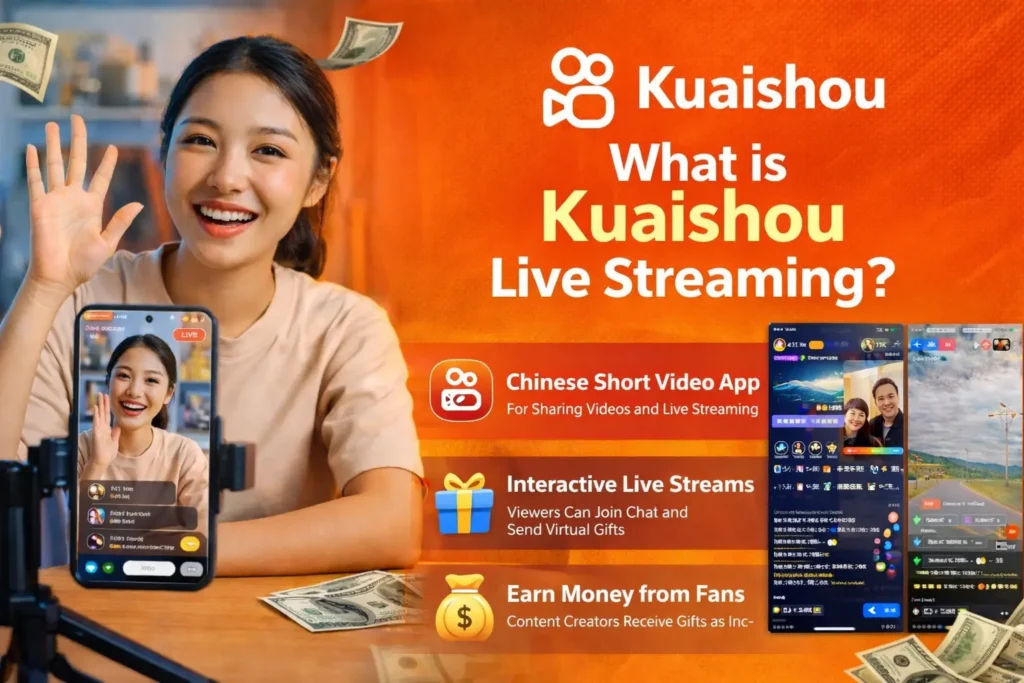
Kuaishou live streaming allows users to broadcast real-time video to their followers and the wider Kuaishou community. Unlike pre-recorded videos, live streams enable instant interaction through comments, gifts, and reactions.
Live Broadcasting Features
Core Capabilities:
✓ Real-Time Interaction: Chat with viewers instantly
✓ Virtual Gifts: Receive monetary support from fans
✓ Product Sales: Sell items during broadcasts
✓ Multi-Streaming: Use front and rear cameras
✓ Beauty Filters: Enhance appearance during stream
✓ Screen Sharing: Show your phone screen
✓ Guest Invites: Co-stream with other creators
Why Stream on Kuaishou?
Platform Advantages:
| Benefit | Details |
|---|---|
| Massive Audience | Wondering how it compares to competitors? See our in-depth breakdown of Kuaishou vs TikTok: Which is Better in 2026? for a feature and monetization comparison. |
| High Engagement | Chinese users spend hours watching streams |
| Strong Monetization | Industry-leading virtual gift economy |
| Live Commerce | Seamless product integration |
| Low Barrier | Easy to start, accessible to all |
Income Potential: Top streamers earn thousands monthly through gifts alone, with commerce adding significantly more. Still deciding between platforms? See our full comparison of the Best Alternatives to Kuaishou in 2026 to evaluate your options.
Requirements Before Going Live
Account Verification
Basic Requirements:
- Active Kuaishou Account: Registered and verified
- Phone Verification: Mobile number confirmed
- Age Requirement: 18+ years old
- Account Standing: No violations or bans
Follower Requirement:
- New Change 2026: No minimum followers needed
- Previously required 100-200 followers
- Now accessible to all verified users
Identity Verification for Commerce:
- Real-name authentication
- ID card verification (China)
- Business license (for companies)
Device Requirements
Minimum Specifications:
| Component | Requirement |
|---|---|
| Phone | Smartphone with camera |
| OS | Android 5.0+ or iOS 11+ |
| RAM | 2GB minimum, 3GB+ recommended |
| Camera | 720p or better |
| Microphone | Built-in or external |
Recommended Setup:
- 4GB+ RAM for smooth streaming
- Good quality front camera
- External microphone (better audio)
- Tripod or phone stand
Internet Speed Needed
Connection Requirements:
Minimum:
> 3G connection (limited quality)
> 2 Mbps upload speed
Recommended:
> 4G/LTE connection
> 5+ Mbps upload speed
> WiFi for best stability
Testing Your Speed:
> Use speed test apps
> Check upload speed specifically
> Test from streaming location
> Avoid peak hours if possible
How to Go Live on Kuaishou – Step by Step
Start Your First Live Stream
Quick Launch Process:
1. Open Kuaishou App
> Launch from home screen
> Ensure stable internet
2. Tap Create Button (+)
> Located at bottom center
> Same as video posting
3. Select “Live” Option
> Swipe to live streaming mode
> Or tap “Go Live” button
4. Set Stream Title
> Write engaging description
> Include keywords viewers search
> Keep under 30 characters
5. Choose Category (Optional)
> Talent show
> Gaming
> Chat
> Shopping/Commerce
Education
6. Tap “Start Live”
> 3-second countdown begins
You’re broadcasting!
Configure Broadcast Settings
Pre-Stream Configuration:
Video Settings:
- Resolution: Auto, 720p, or 1080p
- Camera: Front or rear
- Orientation: Portrait (recommended) or landscape
- Beauty Filter: Adjust level (0-100)
Audio Settings:
- Microphone: Built-in or external
- Volume: Test audio levels
- Echo Cancellation: Enable for better quality
Privacy Options:
- Public: Anyone can watch
- Followers Only: Restricted access
- Private: Invite-only stream
Advanced Features:
- Location Sharing: Show your location
- Gift Settings: Enable/disable virtual gifts
- Comments: Allow or restrict
Engage Your Audience
During Stream Interaction:
Greeting Viewers:
- Welcome new joiners by name
- Thank gift senders immediately
- Acknowledge regular viewers
Reading Comments:
- Read messages aloud
- Respond to questions
- Create polls and ask opinions
Encouraging Participation:
- Ask viewers to like/share
- Request gift support
- Set goals for interaction
- Host mini-games or challenges
Live Streaming Features & Tools
Interactive Features
Audience Engagement Tools:
✨ Live Chat
- Real-time message feed
- Pin important comments
- Moderate spam/inappropriate content
✨ Reactions
- Heart animations
- Emoji reactions
- Screen effects
✨ Polls & Questions
- Create live polls
- Q&A sessions
- Vote on decisions
✨ Co-Streaming
- Invite guest broadcasters
- Split-screen functionality
- Collaborative content
Beauty Filters & Effects
Appearance Enhancement:
Beauty Filters:
- Skin smoothing (adjustable)
- Face slimming
- Eye enlargement
- Teeth whitening
- Complexion adjustment
Live Effects:
- Background changes
- AR stickers
- Face filters
- Animations
- Seasonal themes
Pro Tip: Use subtle filters for natural appearance. Over-filtering can look artificial.
Multi-Camera Support
Advanced Features (2026 Update):
Camera Switching:
- Swap between front/rear during stream
- Picture-in-picture mode
- No interruption to broadcast
Use Cases:
- Product demonstrations (show item closely)
- Outdoor streaming (show scenery)
- Tutorials (show process clearly)
- Dual perspectives
Enhance Your Stream Quality
Use Kuaishou’s built-in editing tools before going live. See our video editing & effects guide for beauty filters, AR effects, and background tools that improve streaming appearance.
Monetization – Earning from Live Streams
Virtual Gifts System
How It Works:
Gift Mechanics:
- Viewers purchase virtual currency (coins)
- Send gifts during your stream
- Gifts convert to revenue
- Cash out through platform
Popular Gift Types:
| Gift Name | Coin Cost | Your Earnings |
|---|---|---|
| Heart | 1 | ~$0.001 |
| Rose | 10 | ~$0.01 |
| Perfume | 100 | ~$0.10 |
| Sports Car | 1,000 | ~$1.00 |
| Luxury Yacht | 10,000 | ~$10.00 |
Conversion Rate: Typically 40-50% of coin value goes to creator (Kuaishou takes commission).
Live Commerce Integration
Selling Products on Stream:
Setup Process:
- Link products to stream
- Display shopping cart icon
- Showcase items during broadcast
- Viewers tap to purchase
- Earn sales commission
Product Categories:
- Beauty and cosmetics
- Fashion and accessories
- Electronics
- Food and snacks
- Household items
Commission Rates: 5-30% depending on product and agreement.
Tips & Donations
Direct Support:
Membership Tiers:
- Monthly subscriptions from fans
- Exclusive perks for members
- Recurring revenue stream
Direct Tips:
- One-time contributions
- Appreciation from viewers
- No product exchange needed
Best Practices for Kuaishou Live Broadcast
Optimal Streaming Times
Peak Audience Hours:
| Time Slot | Audience Level | Best For |
|---|---|---|
| 7-9 AM | Low | Niche content |
| 12-2 PM | Medium | Lunch break viewers |
| 6-10 PM | High | Main streaming window |
| 10 PM-12 AM | Medium-High | Night owls, students |
Weekly Patterns:
- Weekdays: Evenings perform best
- Weekends: Afternoons also strong
- Holidays: All-day opportunities
Consistency Matters: Stream same times to build regular audience.
Content Ideas That Work
Popular Stream Types:
🎤 Talent ShowsTiers:
- Singing and music
- Dancing performances
- Comedy and jokes
- Magic tricks
🎮 Gaming Streams
- Mobile game walkthroughs
- Competitive gameplay
- Tips and tutorials
💬 Chat & Lifestyle
- Daily life sharing
- Q&A sessions
- Cooking demonstrations
- Travel vlogs
🛍️ Shopping Streams
- Product reviews
- Live demonstrations
- Limited-time deals
- Fashion try-ons
Audience Engagement Tips
Keeping Viewers Watching:
First 5 Minutes:
- Strong hook or announcement
- Clear value proposition
- Energetic greeting
- Set expectations
Throughout Stream:
- Change topics every 10-15 minutes
- Read and respond to comments
- Offer incentives (giveaways, discounts)
- Create urgency (limited offers)
Before Ending:
- Announce next stream time
- Thank top supporters
- Final call-to-action
- Preview next content
Technical Setup & Optimization
Camera and Audio Settings
Video Quality:
Lighting Position:
- Face camera toward light source
- Avoid backlighting (window behind you)
- Use ring light for even illumination
Camera Angle:
- Eye level or slightly above
- Not too close (unflattering)
- Stable positioning (use stand) urgency (limited offers)
Audio Quality:
- Microphone Tips:
- Speak clearly and directly
- Reduce background noise
- Use headphones to prevent echo
- External mic recommended for best quality
Lighting Tips
Affordable Setup:
Natural Light:
- Stream near window (daytime)
- Soft, indirect sunlight best
- Close curtains for harsh sun
Artificial Light:
- Ring light ($20-50)
- Desk lamp positioned at angle
- Avoid overhead ceiling lights
- White light preferred (not yellow)
Reduce Lag & Buffering
Performance Optimization:
Before Streaming:
- Close unnecessary apps
- Clear phone cache
- Ensure phone fully charged
- Test internet speed
During Stream:
- Lower resolution if lagging
- Disable battery saver mode
- Keep phone cool (overheating affects performance)
- Monitor connection indicator
Troubleshooting Common Issues
Stream Won’t Start
Solutions:
✓ Check Account Status: Ensure no violations
✓ Update App: Use latest Kuaishou version
✓ Restart App: Close completely and relaunch
✓ Check Permissions: Grant camera/microphone access
✓ Try Different Network: Switch WiFi/mobile data
Poor Video Quality
Improvement Steps:
- Increase Resolution: Switch to 720p or 1080p
- Better Lighting: Improve room illumination
- Clean Camera Lens: Wipe phone camera
- Reduce Movement: Keep camera steady
- Check Internet: Ensure stable connection
Audio Problems
Common Fixes:
| Issue | Solution |
|---|---|
| No sound | Check microphone permission |
| Echo | Use headphones, disable speaker |
| Background noise | Move to quieter location |
| Volume too low | Increase mic sensitivity |
| Distortion | Reduce volume, move mic farther |
Frequently Asked Questions
Conclusion – Start Streaming Today
Kuaishou live streaming offers creators powerful tools for building audiences and generating income through real-time engagement. Whether you’re interested in talent shows, gaming, chat sessions, or live commerce, knowing how to go live on Kuaishou opens opportunities for connection and monetization.
Key Takeaways:
✅ No follower requirement – start immediately
✅ Multiple revenue streams (gifts, commerce, tips)
✅ Advanced features (filters, multi-camera, effects)
✅ Massive potential audience (416M daily users)
✅ Easy setup – takes minutes to go live
Getting Started:
- Verify your account (phone number, age)
- Test your internet connection
- Choose streaming time (evenings best)
- Prepare engaging content
- Tap “+” → “Live” → “Start”
The most successful Kuaishou live broadcast creators share one trait: consistency. Regular streaming builds loyal audiences who return for each broadcast, increasing both engagement and earnings over time.
Ready to stream? Open Kuaishou, tap the create button, select live, and connect with your audience today!