| App Name |
Kuaishou (快手) Video & Social Platform |
| Latest Version | 14.9.10.50692 |
| File Size | 175.72 MB |
| Min. Android |
5.0 (Lollipop) ✓ Android Compatible |
| License | Free |
| Content Rating | Teen (13+) |
| Last Updated | October 18, 2026 |
Want to download Kuaishou APK on Android? This page gives you the latest verified version details first, then a step by step install guide, safety checks, and short notes for iPhone and PC users. The Chinese version is not listed on Google Play outside China, so many users look for the APK file instead.
Quick Tip: If you want to download Kuaishou videos without watermark in HD or 4K, try this Kuaishou Video downloader online tool for fast and free downloads.
These details come from the Uptodown listing for the Chinese Kuaishou app, checked on October 22, 2026. If a site offers a very different version or much smaller file size as the latest, be careful.
What Is Kuaishou APK?
Kuaishou is a short video and live streaming app made by Kuaishou Technology in Beijing, China. Users watch short videos, record and edit clips, follow creators, and join live streams. The company started in March 2011 as GIF Kuaishou, a GIF making tool, and grew into a full short video platform. Founders: Su Hua and Cheng Yixiao. It is listed in Hong Kong as SEHK: 1024, and its official website is kuaishou.com. It is huge in China, with an average of about 399.4 million daily active users reported for 2024.
An APK is the install file format used by Android. Kuaishou APK means the install file for the Chinese Kuaishou app, package name com.smile.gifmaker, which you download and install yourself instead of using Google Play. It is not the same as a Kuaishou video downloader tool, which only saves videos and is not the official app. Always check the package name first.
Kuaishou vs Kwai: Which One Are You Downloading?
Kuaishou and Kwai come from the same company. Kuaishou is the Chinese app, with a Chinese interface and Chinese content at its core. Kwai is the international version for users outside China. In India, Pakistan and Indonesia, it was also known as Snack Video.
There is no mainland Chinese Kuaishou listing on Google Play. Play carries Kwai only, so if you cannot find Kuaishou there, nothing is wrong with your phone.
- Choose the Kuaishou APK for the original Chinese app and its full Chinese content.
- Choose Kwai from Google Play for an international interface, regional content, and simple store updates.
Full comparisons: Kuaishou vs Kwai: What’s the Difference? and Kuaishou Chinese Version vs International. One more name gets mixed up in search: Kling AI is a separate video creation product from the same company, not the app itself. See the Latest Kuaishou Update 2026: Kling AI 3.0.
Kuaishou APK File Information and Specifications
Before installing, check the file against the Quick Facts table above: version 14.9.10.50692, size 175.72 MB, package com.smile.gifmaker. Full breakdown: Kuaishou APK File Information and Specifications.
Version History
Kuaishou releases new builds often. Recent versions listed by Uptodown:
| Version | Date |
| 14.9.10.50692 | October 18, 2026 |
| 14.8.30.50457 | October 5, 2026 |
| 14.8.40.50567 | September 29, 2026 |
| 14.8.40.50557 | September 24, 2026 |
All need Android 5.0 or higher. Many sites still call version 14.6 or 14.7 the latest. Those builds are real, but months old.
What’s New in the Latest Version
Kuaishou does not publish a long changelog for every build. Updates like this one mainly focus on stability, bug fixes and performance. See How to Update Kuaishou to the Latest Version.
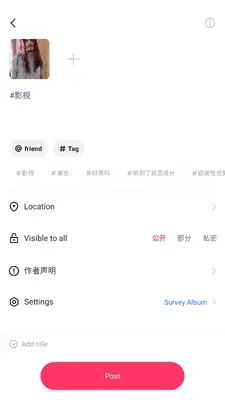
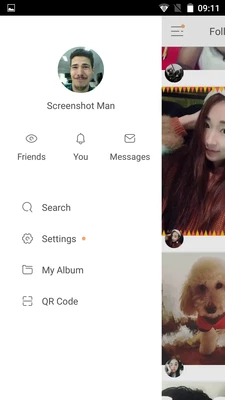
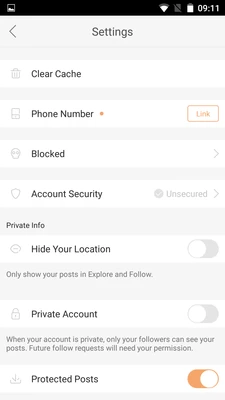
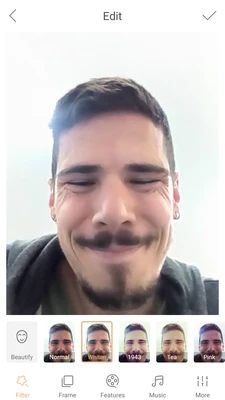
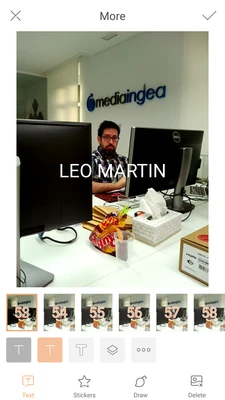
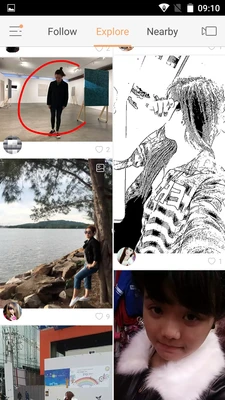
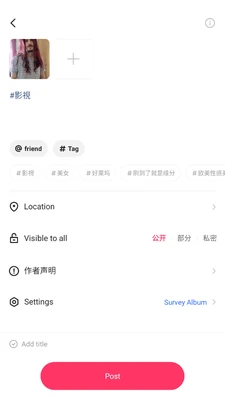
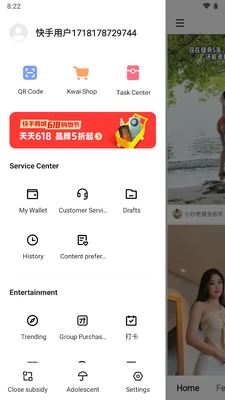
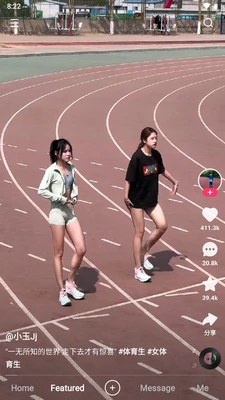
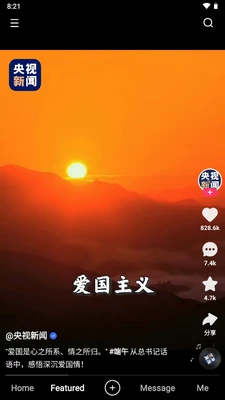
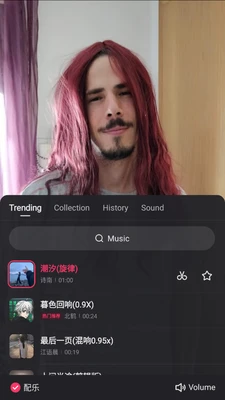
Kuaishou All Screenshots






How to Download and Install Kuaishou APK Step by Step
Do it in the right order: checklist first, then the steps. Longer walkthrough: How to Install Kuaishou APK on Android.
Before You Install: Device Checklist
- Your phone runs Android 5.0 or higher. Check in Settings, under About phone.
- You have more free storage than the file size. The APK alone is 175.72 MB, plus extra room to install and run it.
- Your battery is charged, or the phone is plugged in.
- You are on a stable connection, so the download does not stop halfway.
- You know your lock PIN or pattern, which Android may ask for.
Install Steps
- Download the Kuaishou APK file, version 14.9.10.50692, from a source you trust.
- Open your browser’s downloads list, or tap the file in your notifications.
- Tap the APK file to start the install.
- If Android warns that your browser cannot install apps, tap Settings on that message and allow installs from this source. This is normal for any APK installed outside Google Play.
- Tap Install and wait for it to finish.
- Tap Open to start the app, or Done to open it later.
- After the install, turn the browser’s allow installs option back off.
How to Verify the File Is Genuine
- Check the package name. The real app uses com.smile.gifmaker. An APK viewer app can show a file’s package name before you install it.
- Check the version and size: 14.9.10.50692 and 175.72 MB for the latest build.
- Check the SHA256 fingerprint. Uptodown publishes the SHA256 for this build, and a free hash checker can read your file’s SHA256. If the two match exactly, the file has not been changed since it was published.
- Scan the file with Google Play Protect before you open it.
If any check fails, delete the file and download again from a better source.
First Time Setup
On first open, pick your language, sign in or create an account, and choose topics you like so the feed learns your taste. Only allow permissions the app needs. Guides: How to Create Account on Kuaishou and How to Use Kuaishou.
System Requirements
| Requirement | Minimum |
| Operating system | Android 5.0 or higher |
| Free storage | More than 175.72 MB, plus room for the installed app and saved data |
| Internet | Needed to download the app, watch videos and use live features |
| Google Play | Not needed for the APK install |
A newer phone will feel smoother for recording, editing and live streaming. If your phone is old and struggles with video apps, look at the Lite option below.
Key Features of Kuaishou
Personalized Short Video Feed
The feed learns from what you watch, like, comment on and share, then shows more of the same. Kuaishou is known for showing everyday creators, not only big accounts.
Video Creation and Editing Tools
The built in camera and editor let you trim and join clips, add music, text, stickers, filters and effects before posting. Full tour: Kuaishou Video Editing Tools and Effects.
Live Streaming
Creators go live, talk with viewers in real time, and receive virtual gifts from fans. See our Kuaishou Live Streaming Guide.
Social Features
You can follow accounts, like and comment on videos, share clips, and send private messages.
Offline Saving, Explained Honestly
The official app lets you save some content inside the app to watch later, based on what the creator and the app allow. That is not the same as saving a clean video file to your gallery with no mark on it. See the safety section below.
Kuaishou Lite: The Lighter Option
For phones with little storage or a slow connection, Kuaishou Lite keeps the core watching experience in a smaller, simpler app. See Kuaishou Lite APK Download.
Is Kuaishou APK Safe and Legal?
An APK is just a file format. Safety depends on where the file came from and whether it was changed.
Pre Install Checks
- Download only from a source that publishes clear file details (version, size, package name, SHA256), and compare them with the Quick Facts table.
- Scan the file before installing, and keep Google Play Protect on.
- Read the permissions. Unrelated requests are a warning sign.
Why MOD APKs Are a Risk
Many sites offer a Kuaishou MOD APK with claims such as premium unlocked or no ads. There is no official build like that, and the official Kwai listing says the app contains ads. A MOD is changed code from someone else, which breaks the original developer signature, so normal checks no longer protect you. MOD files often hide harmful software. Use the original file.
The No Watermark Truth
Videos shared through the official app can carry a watermark or the creator’s ID, which shows who made the video. The official app has no built in option to download other people’s videos with no watermark. Tools or MODs that promise this work outside the app’s rules.
Privacy Basics
After installing, review app permissions in phone settings and turn off anything you do not use. Check in app privacy settings too, such as who can message you. Sign in only inside the official app. Real sign up never asks you to confirm your identity on a phone call.
Is It Legal to Install the APK?
Installing an APK on your own phone is a normal Android feature. What matters is using the original app, following its terms of service, and respecting the rules in your country.
Kuaishou APK vs Google Play (Kwai)
| Point | Kuaishou APK (Chinese app) | Kwai on Google Play |
| Package name | com.smile.gifmaker | com.kwai.video |
| Developer | Beijing Kuaishou Technology Co., Ltd. | JOYO TECHNOLOGY PTE. LTD. |
| Latest version checked | 14.9.10.50692 (October 18, 2026) | 13.9.20.646900 (October 20, 2026) |
| File size | 175.72 MB | 44.79 MB |
| Android required | Android 5.0 or higher | Android 5.0 or higher |
| Installs or downloads | 6,406,428 downloads on Uptodown | 500M+ installs on Google Play |
| Rating | 4.3 on Uptodown | About 4.0 stars, about 11M ratings on Google Play |
| Updates | You update the APK yourself | Google Play updates it for you |
There is also a second Play listing, Kwai Short Video Community, package com.kwai.kuaishou.video.live, version 13.8.30.646601, 72.1 MB, 100M+ installs. For most people outside China, the Play version is easier and safer. The APK route is for users who specifically want the Chinese app.
Kuaishou on PC and iPhone
Kuaishou on PC
There is no normal Windows or Mac install file for Kuaishou in the sources checked here. PC users run the app inside an Android emulator, software that makes a window on your computer act like an Android phone. Install the emulator first, then the APK inside it. Full process: Kuaishou PC Download, Windows and Mac Guide.

Kuaishou on iPhone
APK files do not work on iPhone at all, because APK is an Android format. iPhone users should install Kwai from the Apple App Store instead, the same company’s international app made for iOS.
Kuaishou vs TikTok
Both are short video platforms, but they grew in different markets and feel different to use.
| Point | Kuaishou | TikTok |
| Home market | China first | International first |
| Content feel | Everyday life and community content, strong live streaming culture | Trend driven global content |
| Live selling | A central part of the app in China | Present, growing in some markets |
| International version | Kwai | TikTok itself is the international app |
Full comparison: Kuaishou vs TikTok: Which is Better in 2026?
New Version vs Old Version
Newer is the right default: the latest version has the newest fixes and works best with the current service. Some users try older builds when an update runs badly on an old phone. If you do, use only a verified version, and know old builds may stop working. See Kuaishou Old Versions Download.
Common Problems and Fixes
The APK Will Not Install
Check that you allowed installs from your browser, as in step 4 above, and check free storage. If an older copy is installed, a different file can clash with it. Remove it, restart the phone, and install again.
App Not Installed Error
This often means the file is incomplete or the package does not match. Download it again and run the package name and SHA256 checks first.
The App Crashes or Does Not Open
Restart the phone, then clear the app cache in Settings, under Apps, Kuaishou, Storage. If it still crashes, reinstall the latest verified version, 14.9.10.50692.
Download Stuck or Too Slow
Move to stable Wi-Fi and restart the download. A partial file will not install, so download the full 175.72 MB file again.
The App Asks for an Update
APK installs do not update through Google Play, so update by hand: download the newest verified APK and install it over the old one. Same package name keeps your account and settings in most cases.
Not Enough Storage Space
Delete unused apps and large caches, and move photos or videos elsewhere. Start only when free space is comfortably above the file size.
Pros and Cons
Pros
- The original Chinese Kuaishou app, which is not on Google Play.
- Free to download and use.
- Strong live streaming and live selling features.
- Built in camera, editing tools, music, filters and effects.
- Works on Android 5.0 or higher.
Cons
- You must check the file and update it yourself.
- Made for China first, so language and content may not suit everyone.
- Large download at 175.72 MB.
- The app contains ads.
- No Google Play protection layer.
Best Alternatives to Kuaishou
- Kwai, the same company’s international app, and the best first alternative outside China.
- TikTok, the global short video platform.
- YouTube Shorts and Instagram Reels.
- Likee and Snapchat.
Full guide: Best Alternatives to Kuaishou in 2026
Kuaishou in Your Country
Country guides: Kuaishou Download in India and Kuaishou Download in Pakistan. In both, the international app was also known as Snack Video.
FAQs
Conclusion
To download Kuaishou APK the safe way, keep three things in mind. Use the correct latest version, 14.9.10.50692, at 175.72 MB for Android 5.0 or higher. Verify the file with the package name com.smile.gifmaker and the published SHA256 before installing. And skip MOD files, because the real app is already free. If the store version fits you better, Kwai on Google Play is the same company’s app.
Disclaimer: This site is an independent guide and is not affiliated with, endorsed by, or sponsored by Beijing Kuaishou Technology Co., Ltd. Kuaishou, Kwai and related names and logos are trademarks of their respective owners. Details were checked against public listings on October 22, 2026, and can change with new releases.